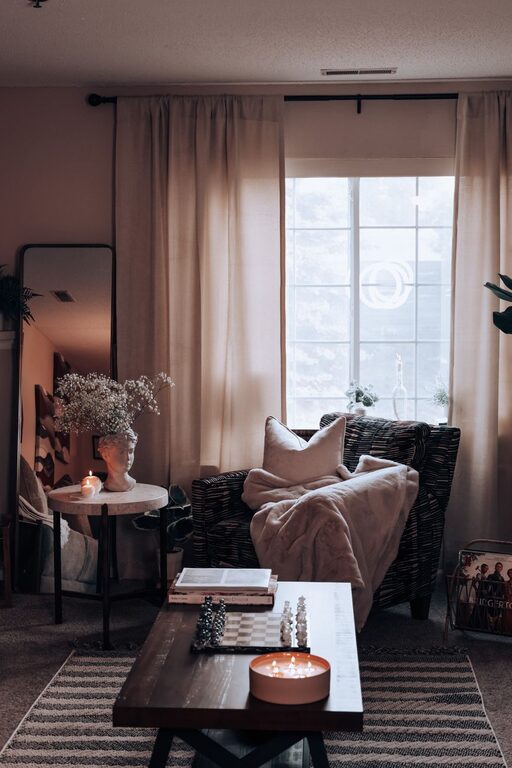
Creating a relaxing home workspace is essential for maintaining focus, comfort, and productivity—especially when your home doubles as your office. A well-designed environment can help reduce stress, minimize distractions, and make long work hours more enjoyable. Whether you’re transitioning to remote work or simply want to upgrade your current setup, these tips will guide you in creating a space that works for you.
Choose the Right Location
Find a Quiet Spot
Start by selecting a spot in your home with minimal noise and foot traffic. This helps reduce interruptions and lets you focus better. If a dedicated room isn’t available, consider using a corner of a room where you can define your space clearly.
Consider Natural Light
Natural light is a great mood booster and helps reduce eye strain. Set up your desk near a window if possible. If not, invest in high-quality daylight bulbs to keep your workspace bright and inviting.
Invest in Comfortable Furniture
Ergonomic Chair
An ergonomic chair supports your posture and reduces back pain. Look for adjustable features such as seat height, lumbar support, and armrests. Comfort here translates directly to better productivity.
Desk Setup
Choose a desk that fits your space and offers enough surface area for your essentials. Adjustable desks that allow you to switch between sitting and standing positions are a great option to promote movement throughout the day.
Organize for Efficiency
Declutter Your Desk
Keep only what you need on your desk to minimize distractions. Use organizers, trays, or baskets to store supplies and keep everything within reach.
Cable Management
Tangled cables can be an eyesore and source of frustration. Use cable clips, sleeves, or boxes to keep wires neat and out of the way, giving your workspace a clean appearance.
Add Personal and Calming Elements
Plants
Incorporating plants can improve air quality and bring a touch of nature indoors, which helps reduce stress and increase focus.
Soothing Colors
Choose calming colors like soft blues, greens, or neutrals for your walls and accessories. These shades create a peaceful atmosphere that supports concentration.
Personal Touches
Add photos, artwork, or decor items that inspire and motivate you without causing clutter. Personal touches help you feel more comfortable and connected to your space.
Optimize Lighting
Layer Your Lighting
Combine ambient lighting with task lighting. Overhead lights provide general illumination, while desk lamps focus light on your work area to reduce eye strain.
Avoid Glare
Position your monitor perpendicular to windows or bright light sources. Use blinds or curtains to control brightness and prevent screen glare.
Maintain Good Air Quality and Temperature
Ventilation
Open windows regularly or use air purifiers to keep air fresh and reduce stuffiness.
Comfortable Temperature
Keep your workspace at a comfortable temperature—not too hot or cold—to avoid distractions and discomfort.
Establish a Routine and Boundaries
Set Work Hours
Define your work hours and stick to them. This helps create a mental boundary between work and personal time, which is key for relaxation.
Breaks and Movement
Incorporate regular breaks and stretch or take short walks. Movement refreshes your mind and body, helping you stay alert and productive.
Use Technology Wisely
Noise-Canceling Headphones
If ambient noise is unavoidable, noise-canceling headphones can help create a focused environment.
Productivity Tools
Use apps and tools designed to manage tasks, block distractions, and keep track of time. They can help you stay organized and on schedule.
Final Thoughts
Designing a relaxing home workspace is more than just aesthetics; it’s about creating a functional and comfortable environment that supports your best work. By focusing on comfort, organization, lighting, and personal touches, you can build a space that makes working from home a positive and productive experience. Start with small changes and adjust your setup over time to find what works best for you.
About the Author